- Role
- Product Designer & Co-founder
- Year
- 2026
- Status
- Live — App Store & Google Play
Many session-based businesses still manage their daily operations the same way they have for years.
Customer records live in spreadsheets. Package information gets buried in WhatsApp conversations. Session attendance is tracked in notebooks or on a staff member's phone.
As businesses grow, these disconnected tools create more than just extra work. They also make it harder to trust the information.
Finding out how many sessions a customer has left can take several minutes. Expiring packages are easy to miss. When a staff member leaves, part of the operational knowledge often leaves with them.
This was the starting point for Getch.
Rather than simply digitising session tracking, I wanted to design a system where both businesses and customers could rely on the same source of truth.
The result is a QR-based pass management platform designed for session-based businesses such as Pilates and yoga studios, beauty clinics, dietitians and personal trainers.
Businesses create and assign passes.
Customers present a QR code when they arrive.
Staff validate the visit with a quick scan, while every transaction is securely recorded in the cloud.
Getch is currently a product concept in development. This case study focuses on the design decisions, workflows and product thinking behind the experience rather than a launched product.
01
Where it actually hurts
Talking to small studio owners, the same four moments came up. Nobody can answer "how many sessions has this person used" without opening a spreadsheet. Expired packages get missed. "I didn't come — you marked me as if I did" becomes a trust problem, not just a bookkeeping one. And when staff turns over, the tracking system turns over with them.
Each screen in the product traces back to one of those four moments — the dashboard's expiring-pass metric, the QR redemption flow's short validity window, the staff-attribution log on every scan, and cloud-based records that outlive any one employee.
02
Getting in the door
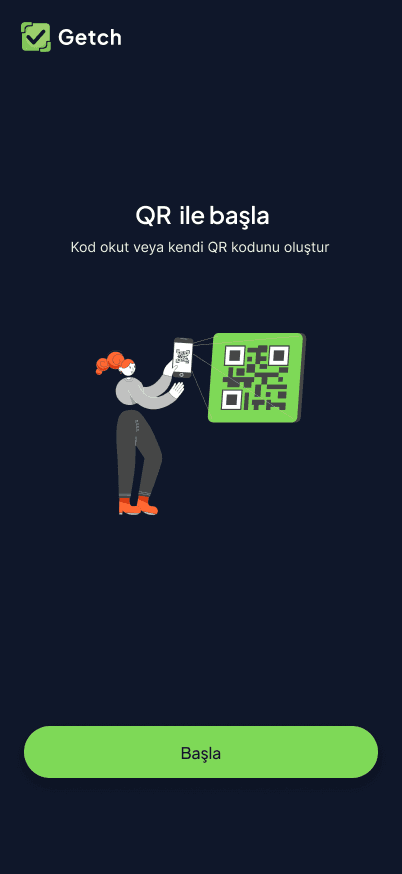
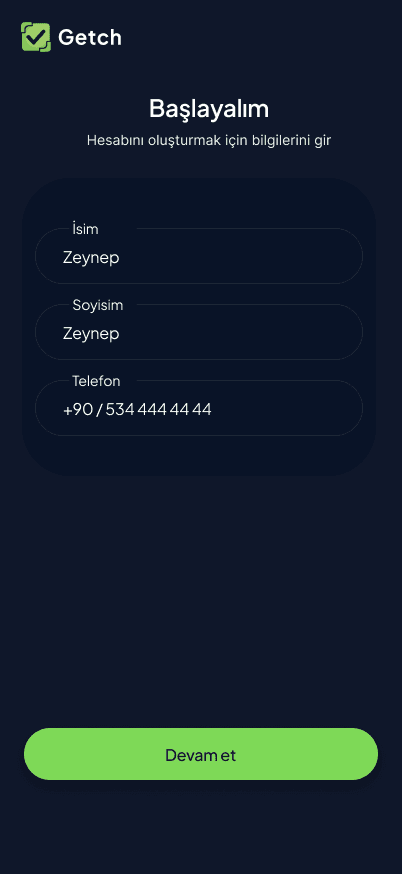
Onboarding opens with a QR-first visual before a single field is filled in — the whole product summarised in one image. From there it's email/phone sign-up and a short verification step, deliberately kept to as few screens as possible: a studio owner installing this between clients doesn't have five minutes to spare.

03
One identity, two roles
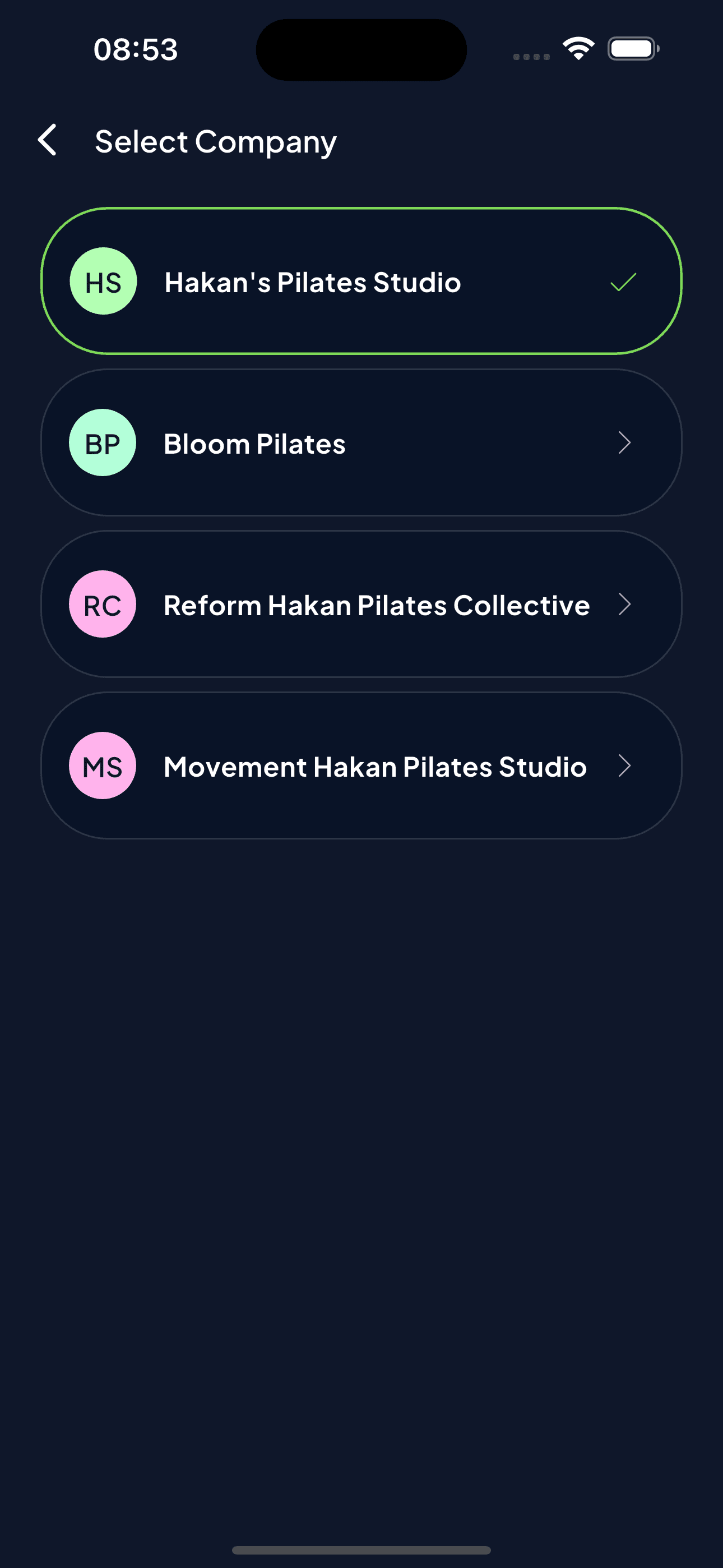
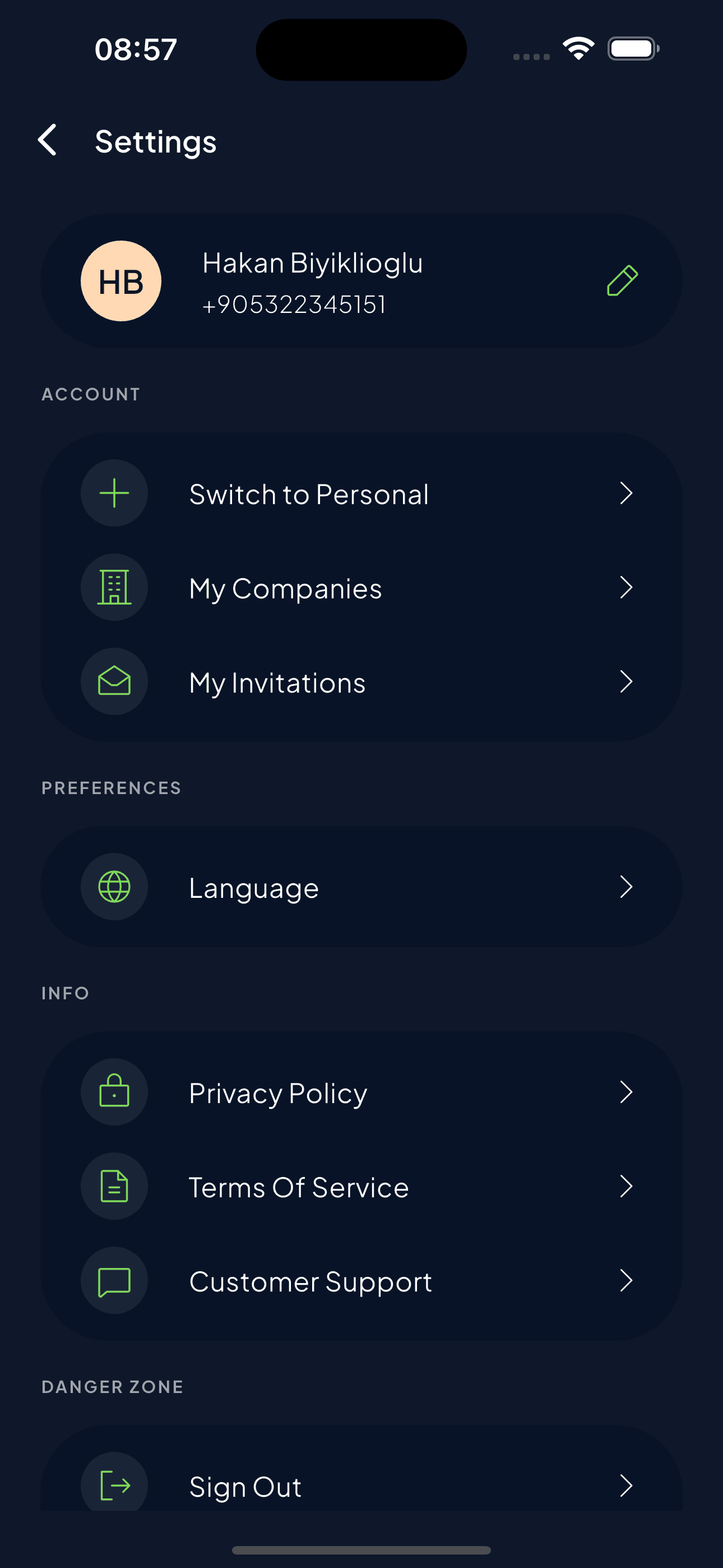
The decision I'd point to first: a business owner and a customer aren't two apps or two accounts — they're one identity that can switch modes. The same person can run several studios (a "Select Company" switcher moves between them) and, separately, hold passes at businesses they visit themselves, all from one login via a plain "Switch to Personal" toggle in settings.
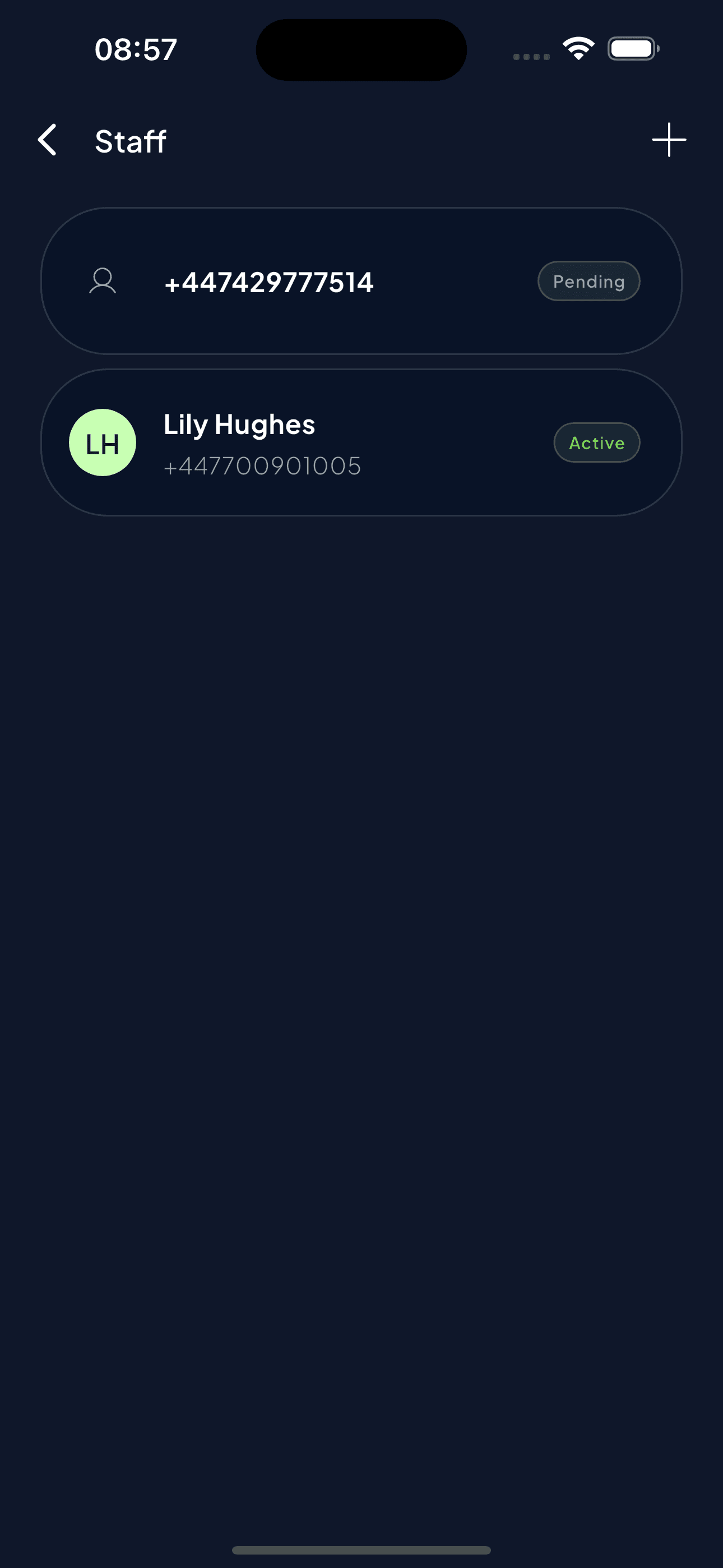
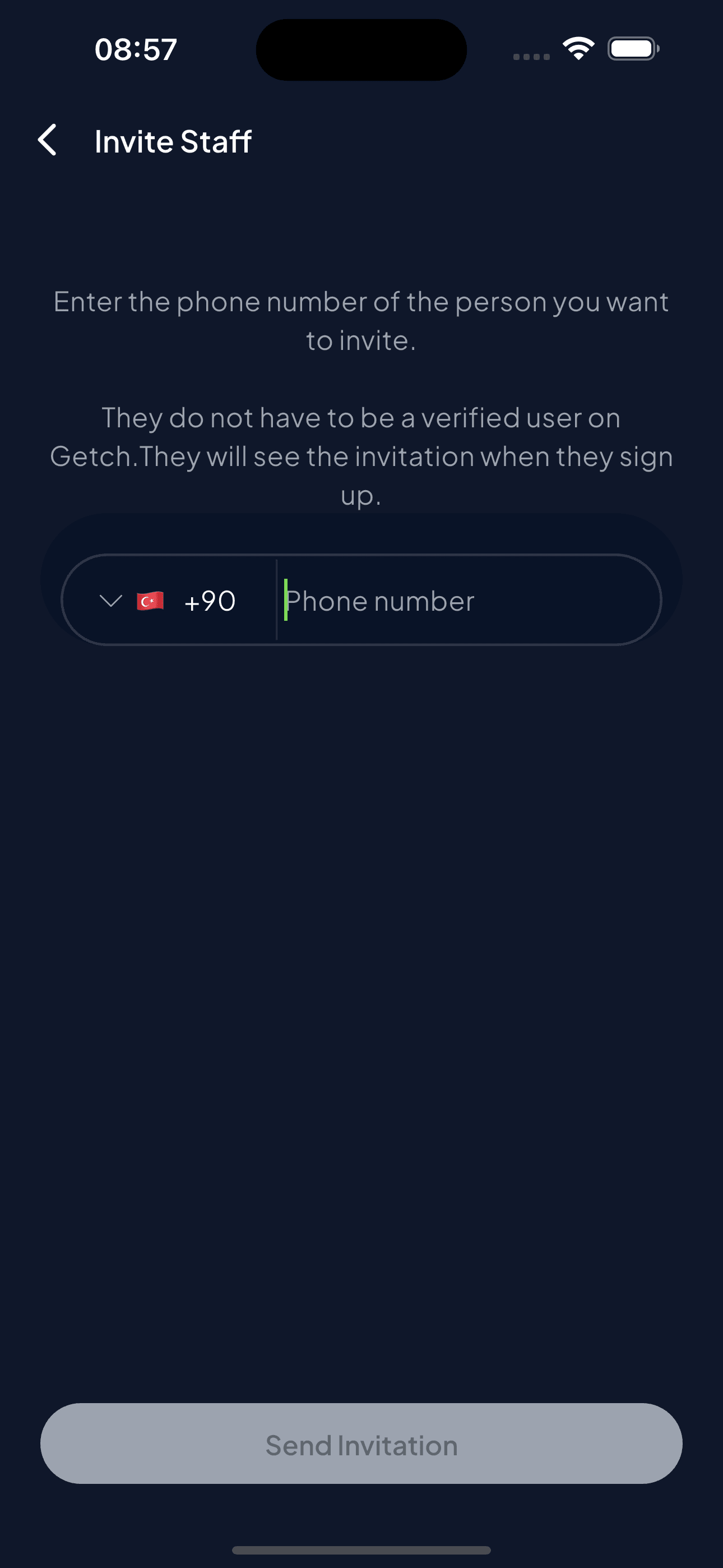
Business-side roles are split further: an owner can invite staff by phone number, and staff can scan and redeem passes but can't send new ones — the one action with real financial weight stays with the owner.
04
A dashboard that looks forward
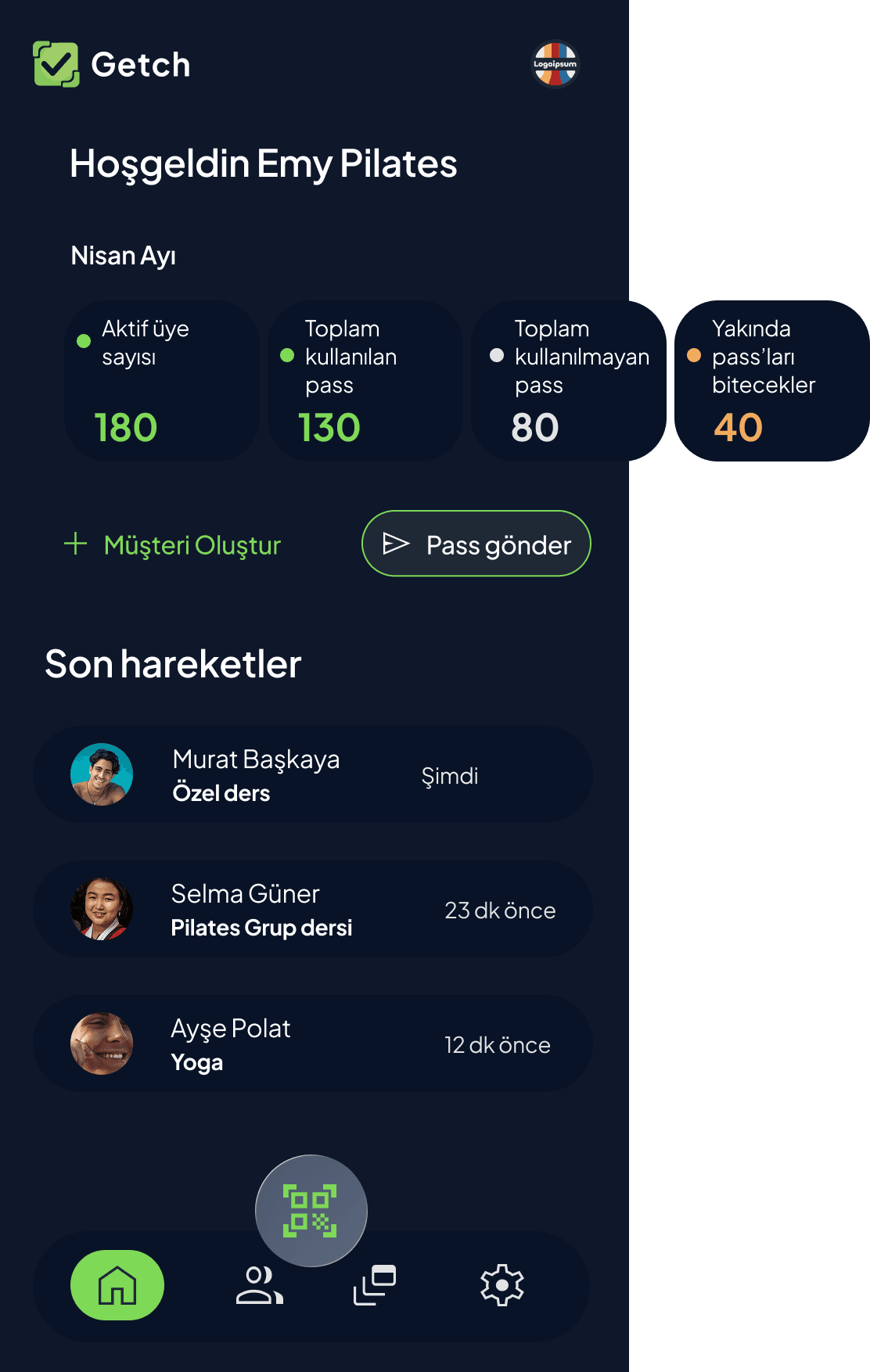
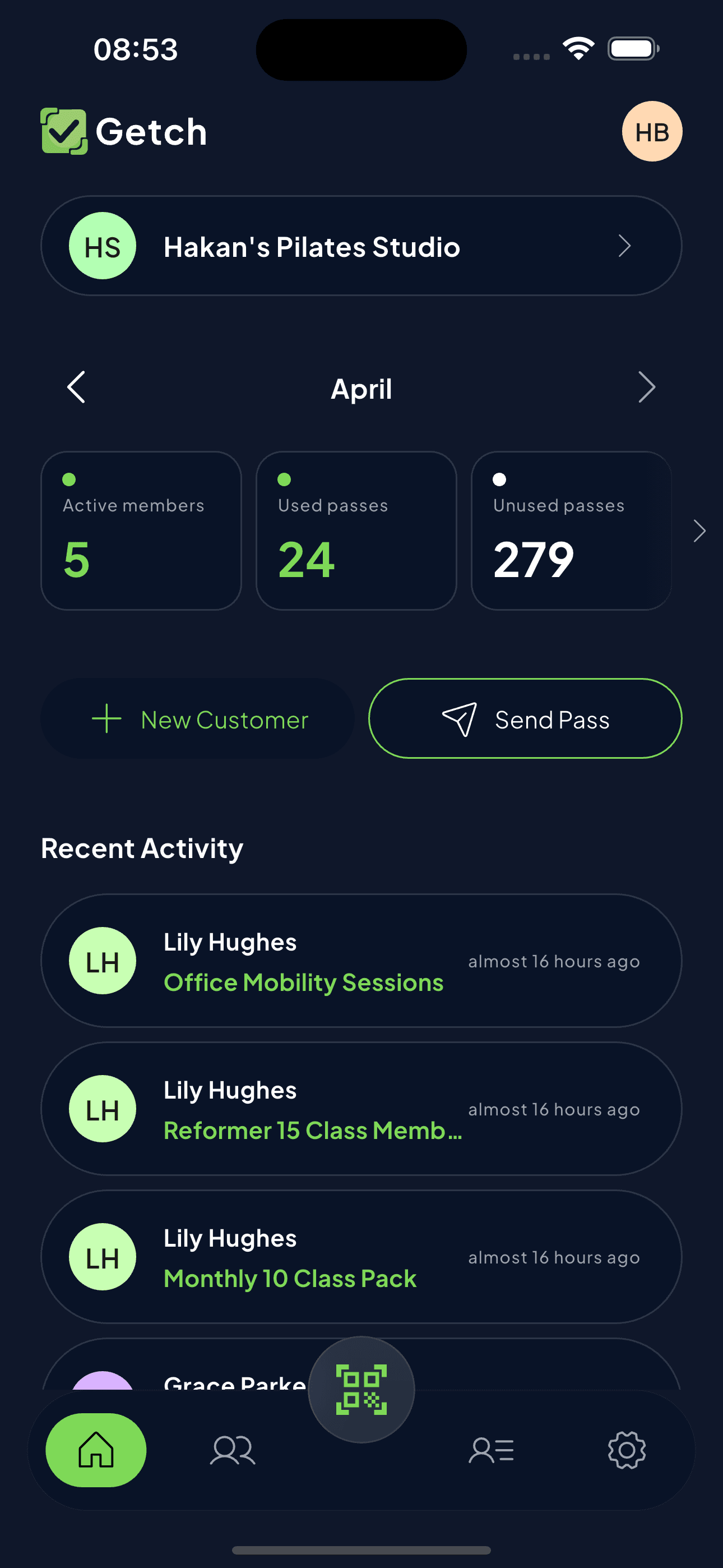
The owner's home screen leads with active members and used/unused passes, but the number that matters most is the one most tools bury — passes about to expire. It turns the dashboard from a report into a nudge to act before a customer's package quietly lapses.
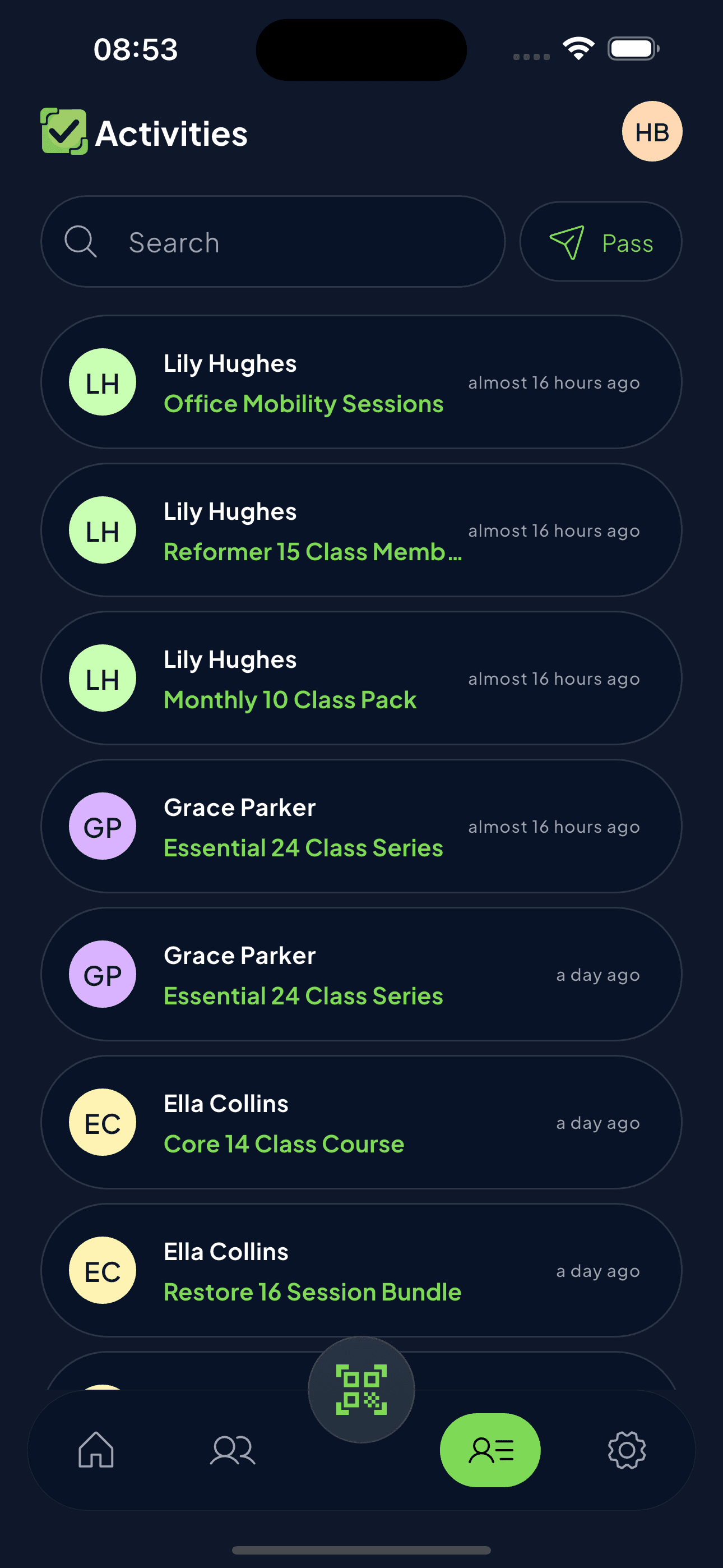
Beneath the metrics, "New Customer" and "Send Pass" are the two primary actions, and a live activity feed (who redeemed what, when) makes the dashboard feel current rather than a static summary you check once a week.
05
Choosing who gets a pass
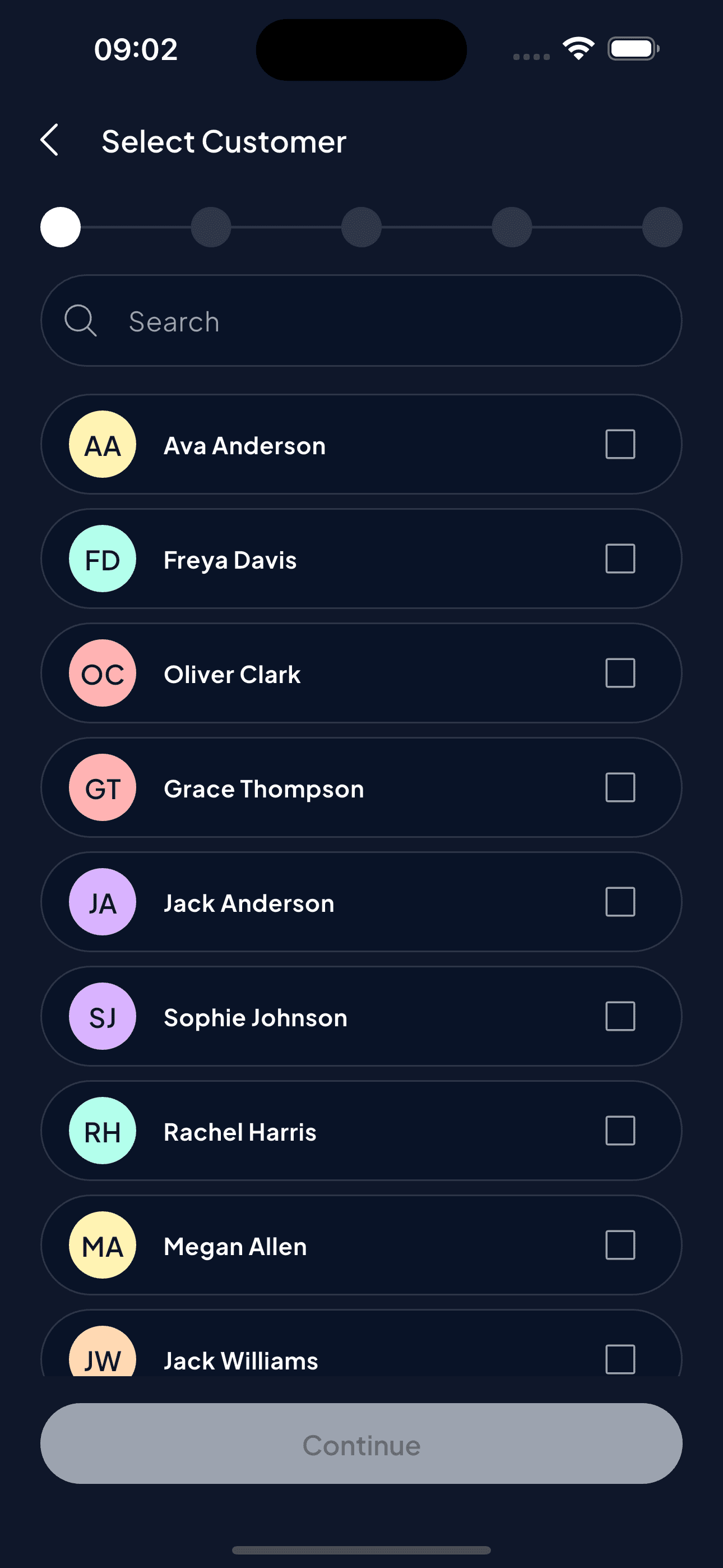
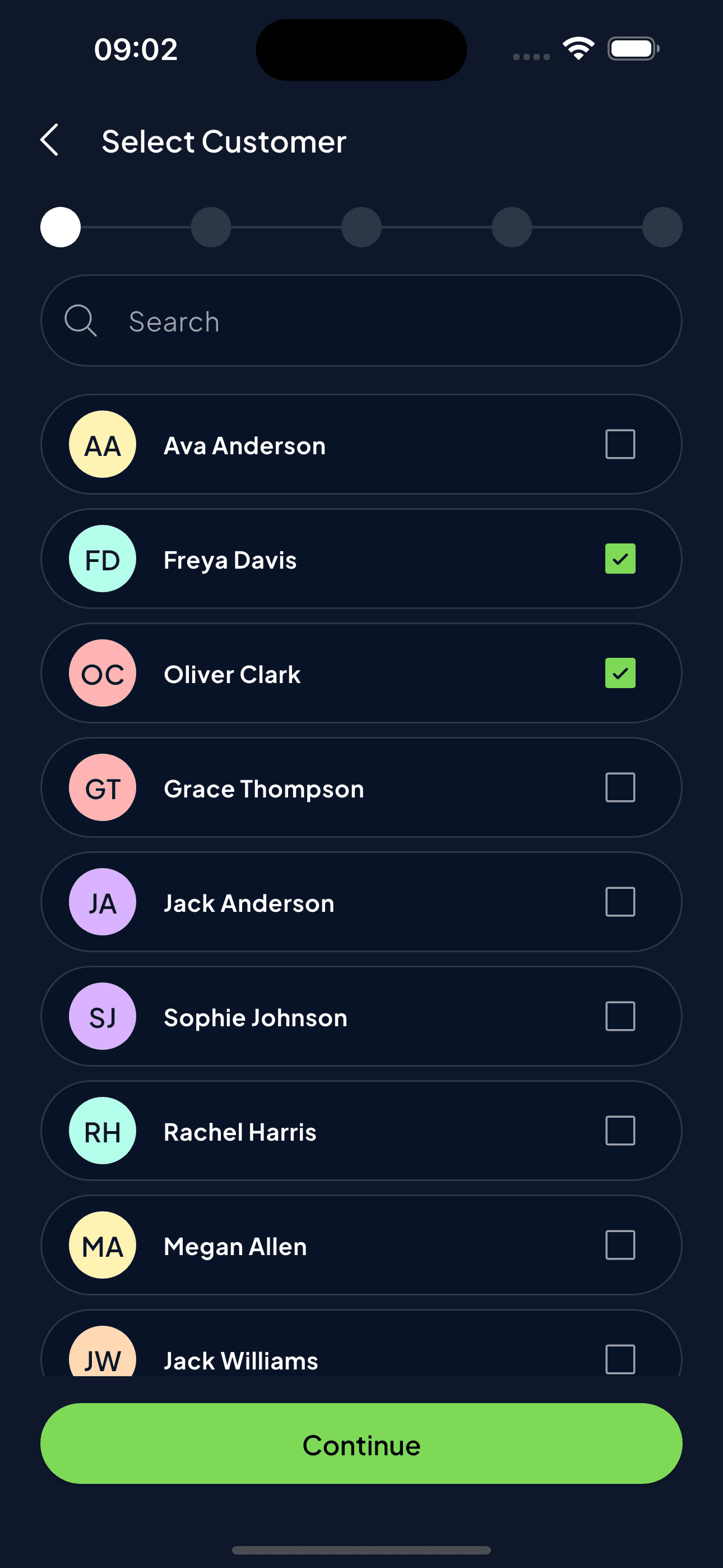
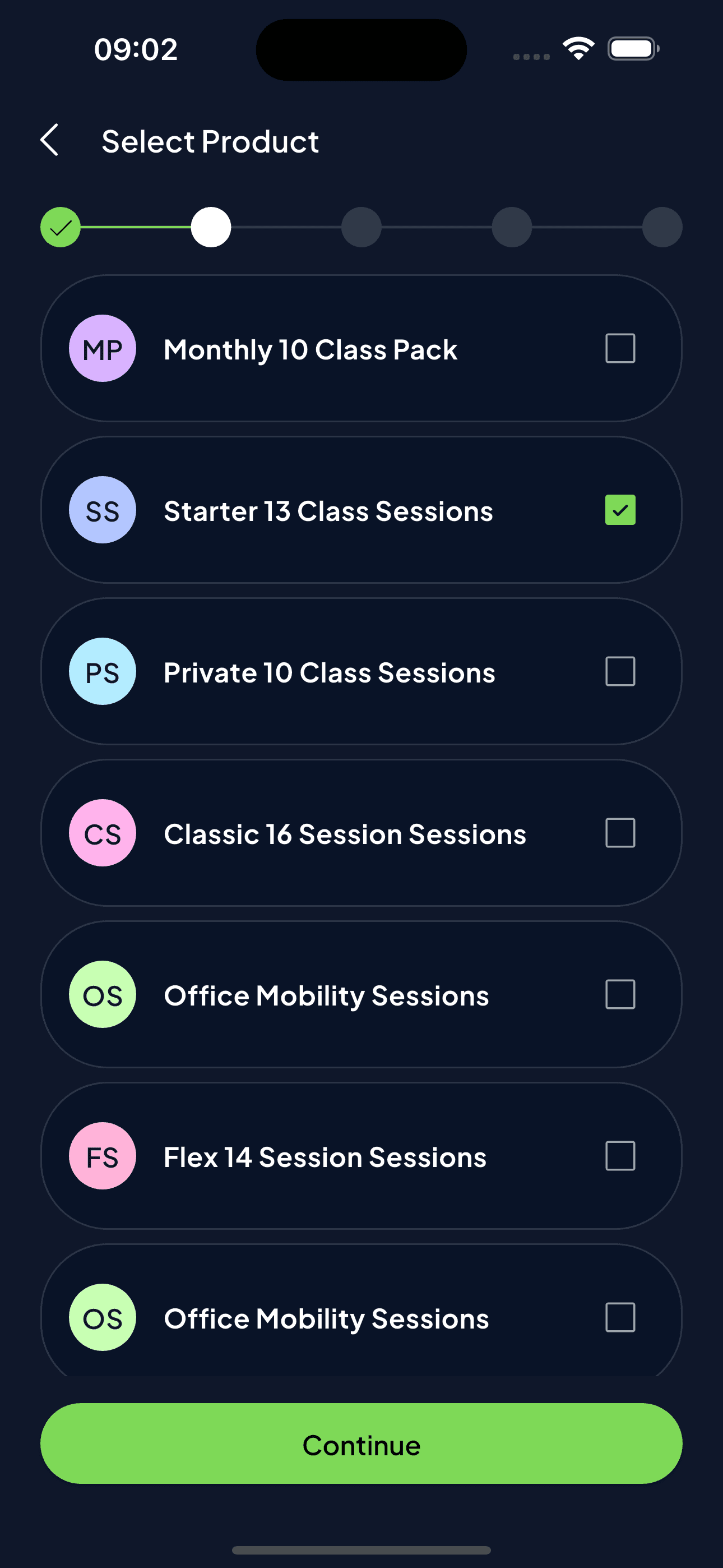
The send-pass flow opens with customer selection — single or multi-select, so a batch of ten students in the same class can be sent the same pass in one pass through the flow rather than one at a time.
06
Sending and redeeming a pass
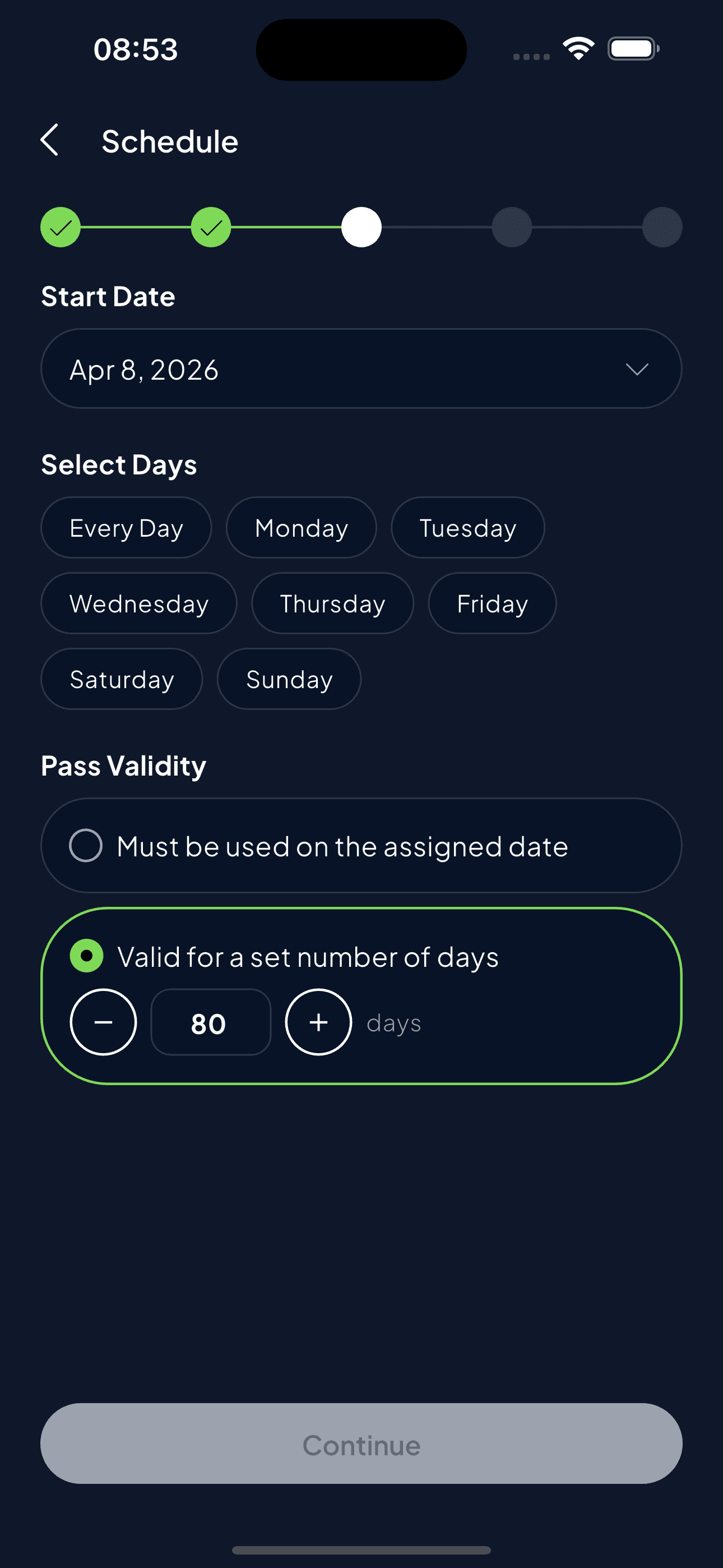
Sending a pass finishes with a schedule step that lets a business define real recurring patterns (Monday–Wednesday, for a set number of days) rather than forcing every package into a flat expiry date. Validity itself is flexible too: "must be used on the assigned date" for class-based passes, or "valid for N days" for open packages.
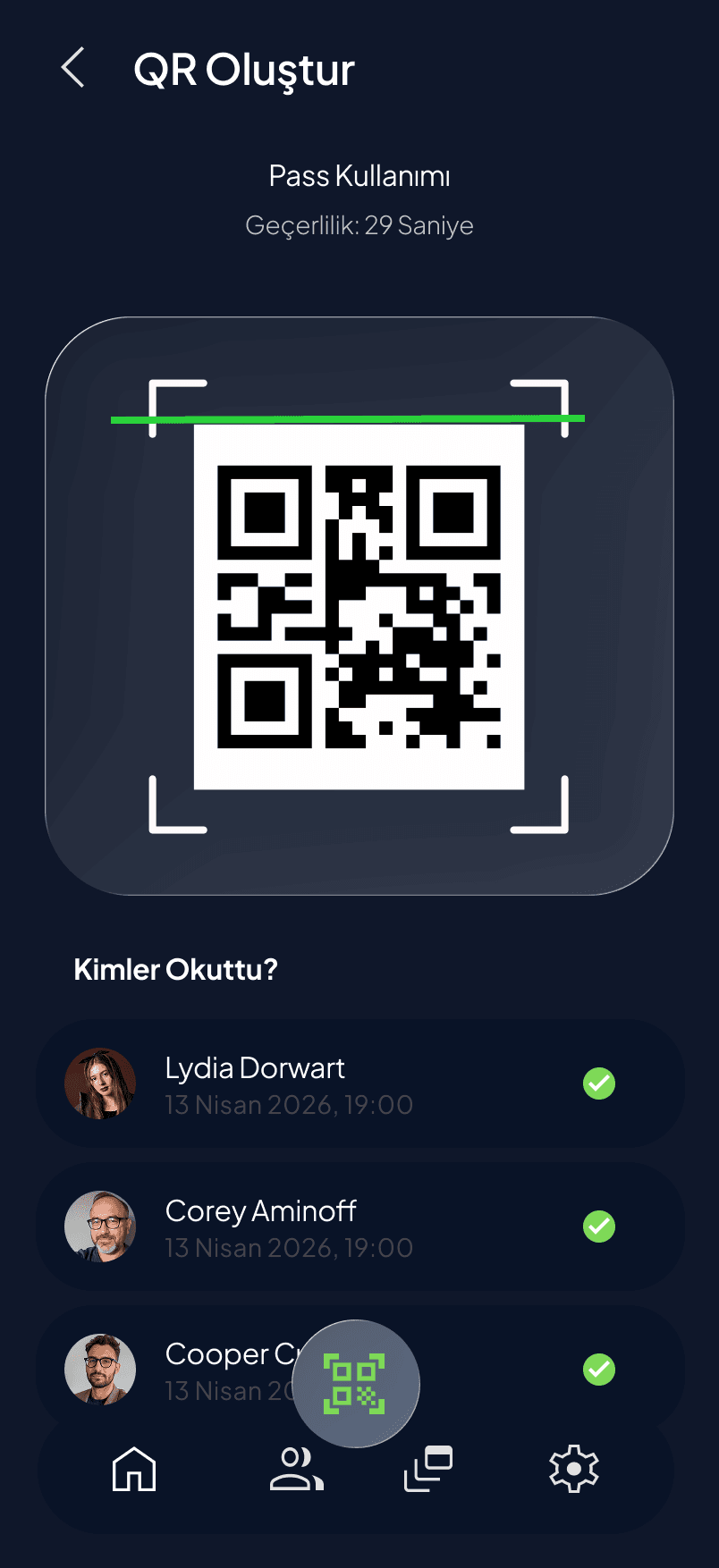
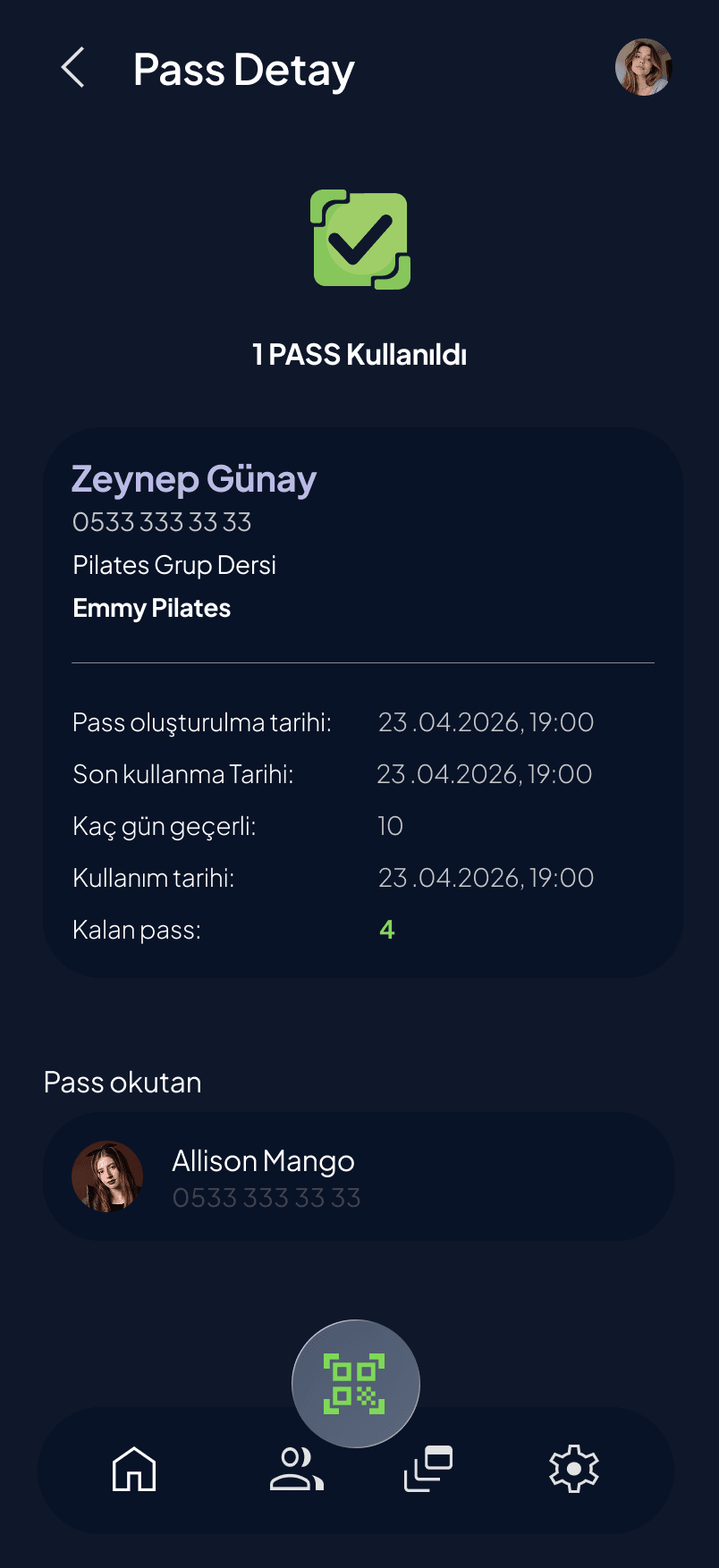
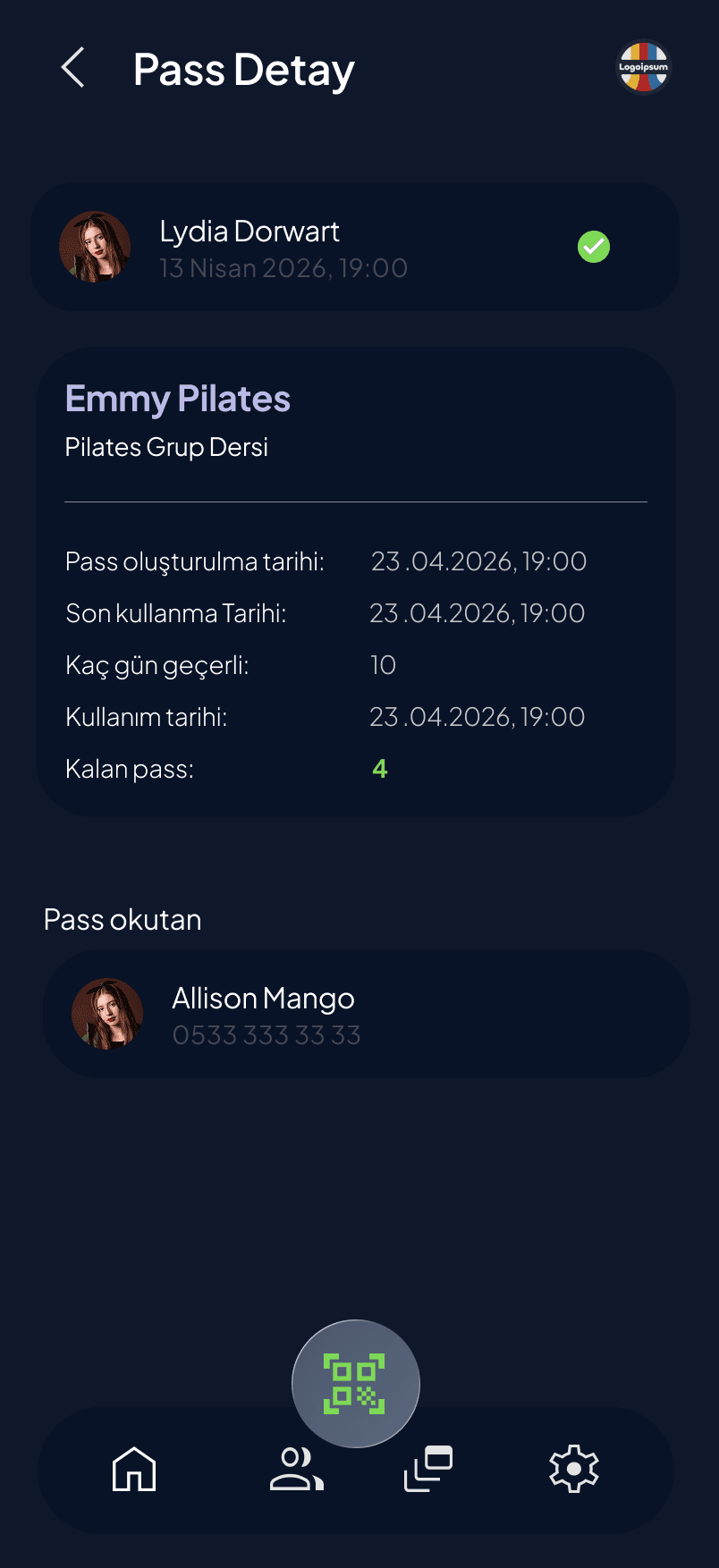
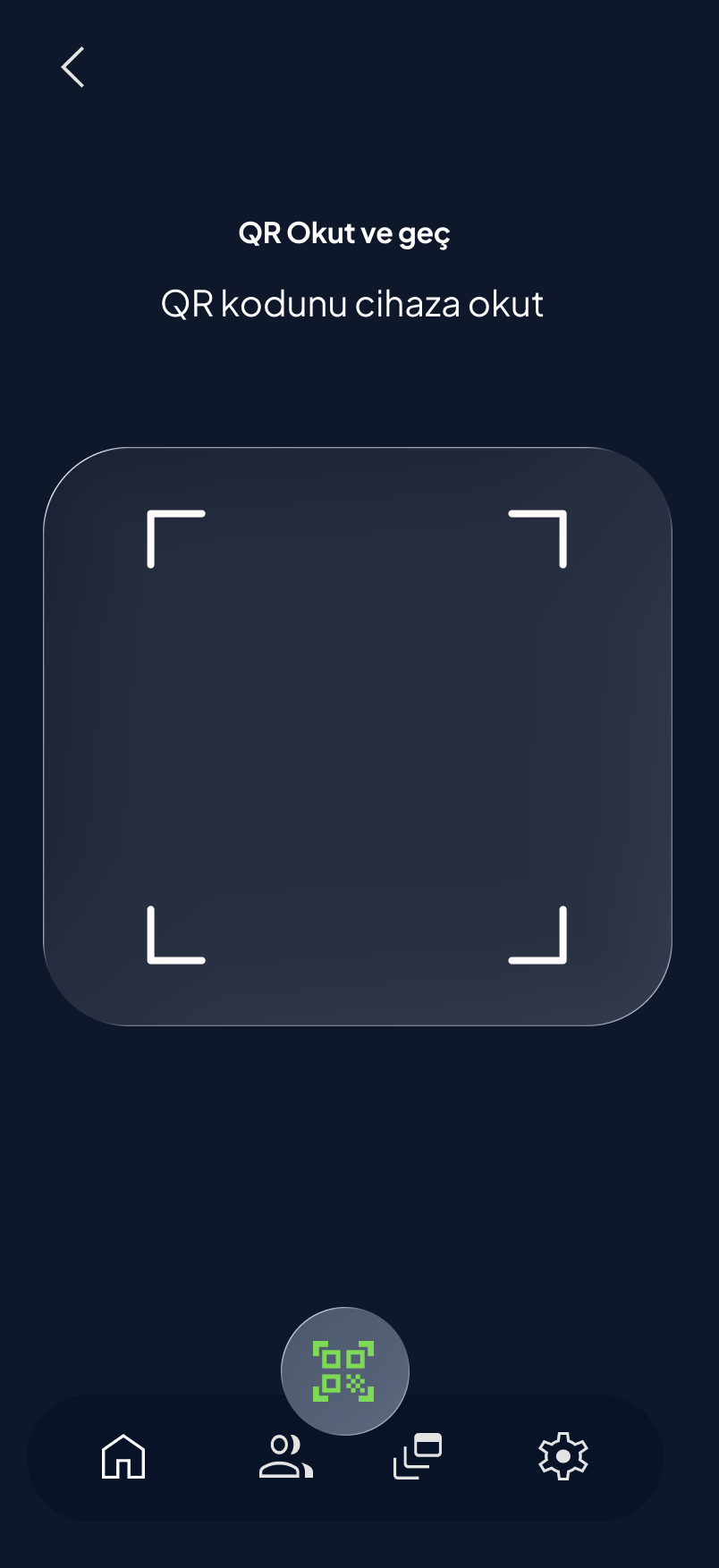
Redeeming is deliberately short-lived and accountable: the customer's QR code expires in under a minute, and every scan is logged against the staff member who performed it and shown back to the customer as "who scanned this" — a direct answer to the "you marked me as here" problem.
07
Showing, scanning, and everything in between
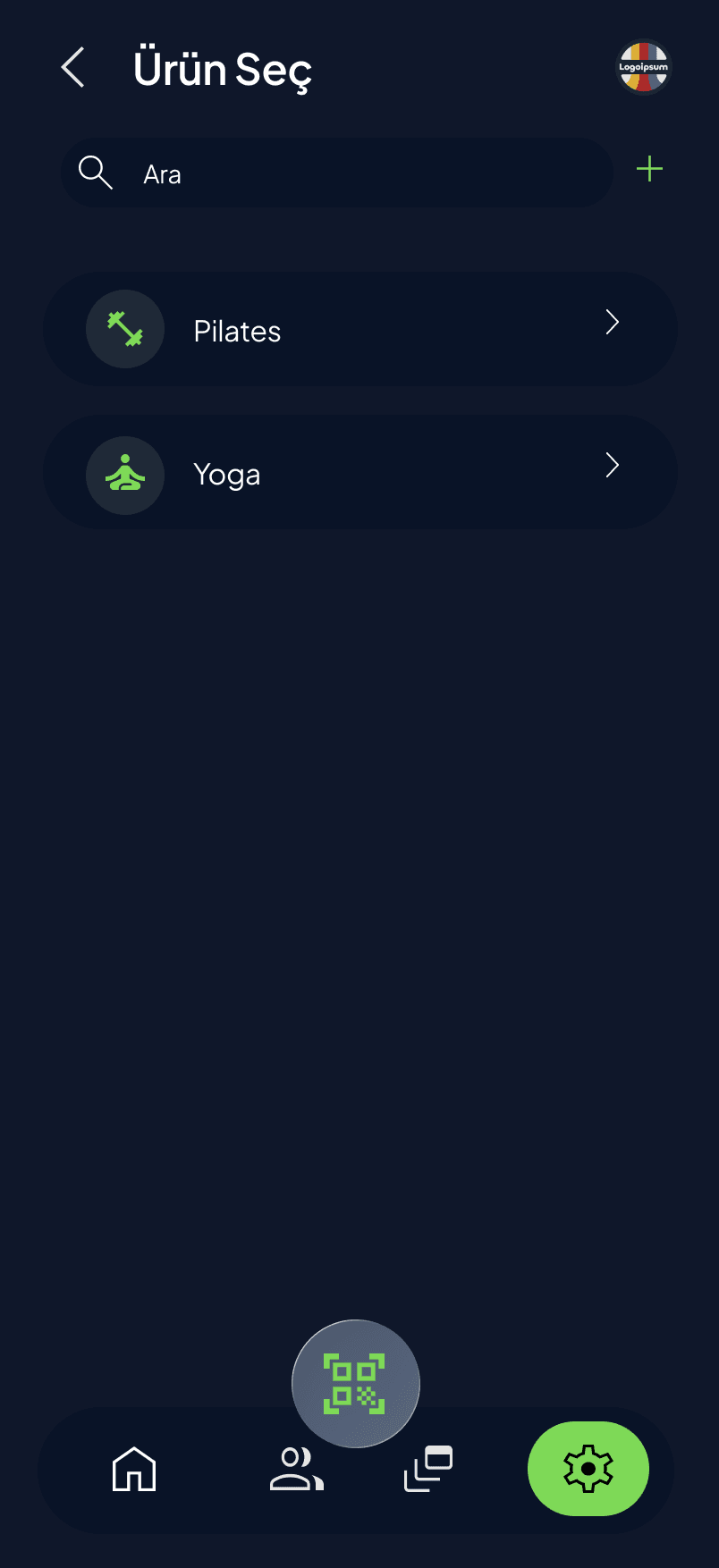
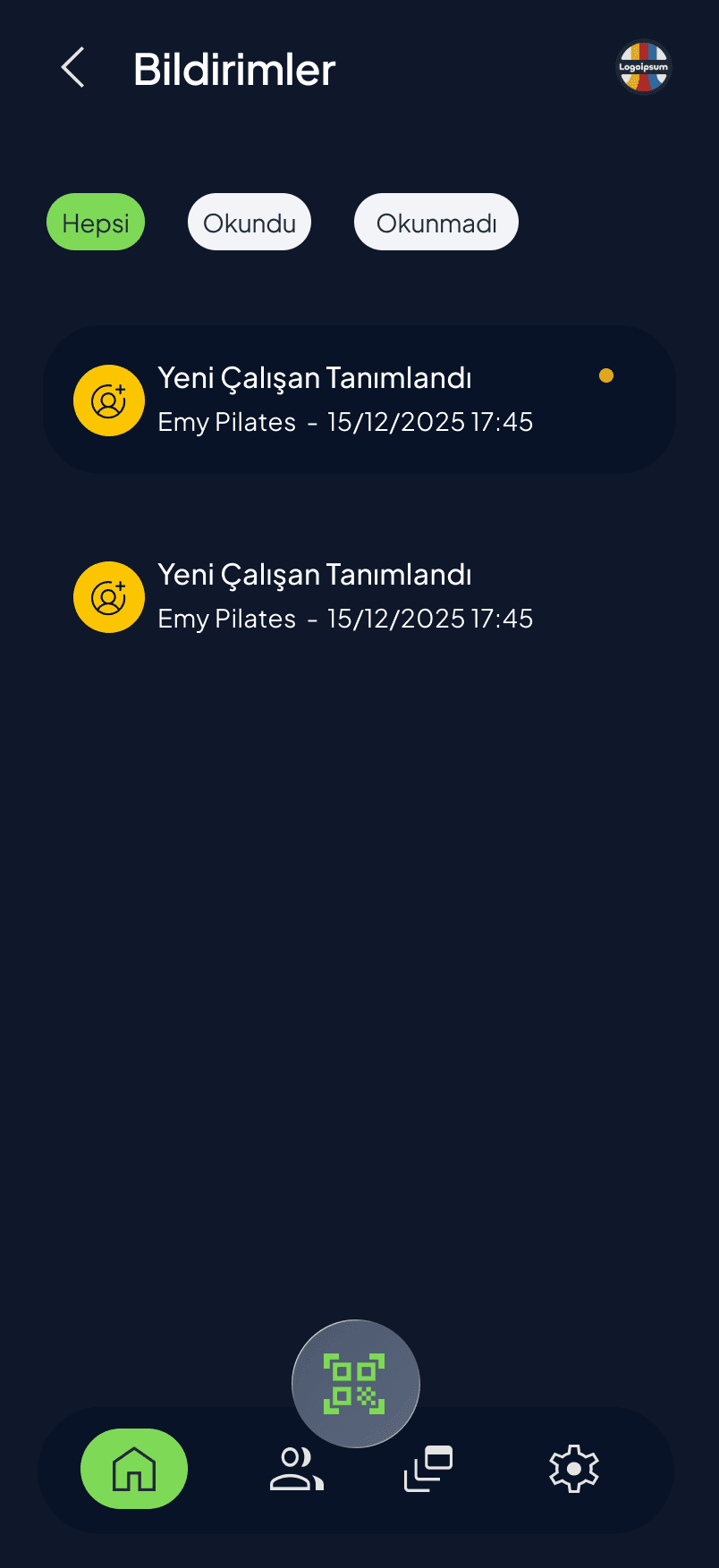
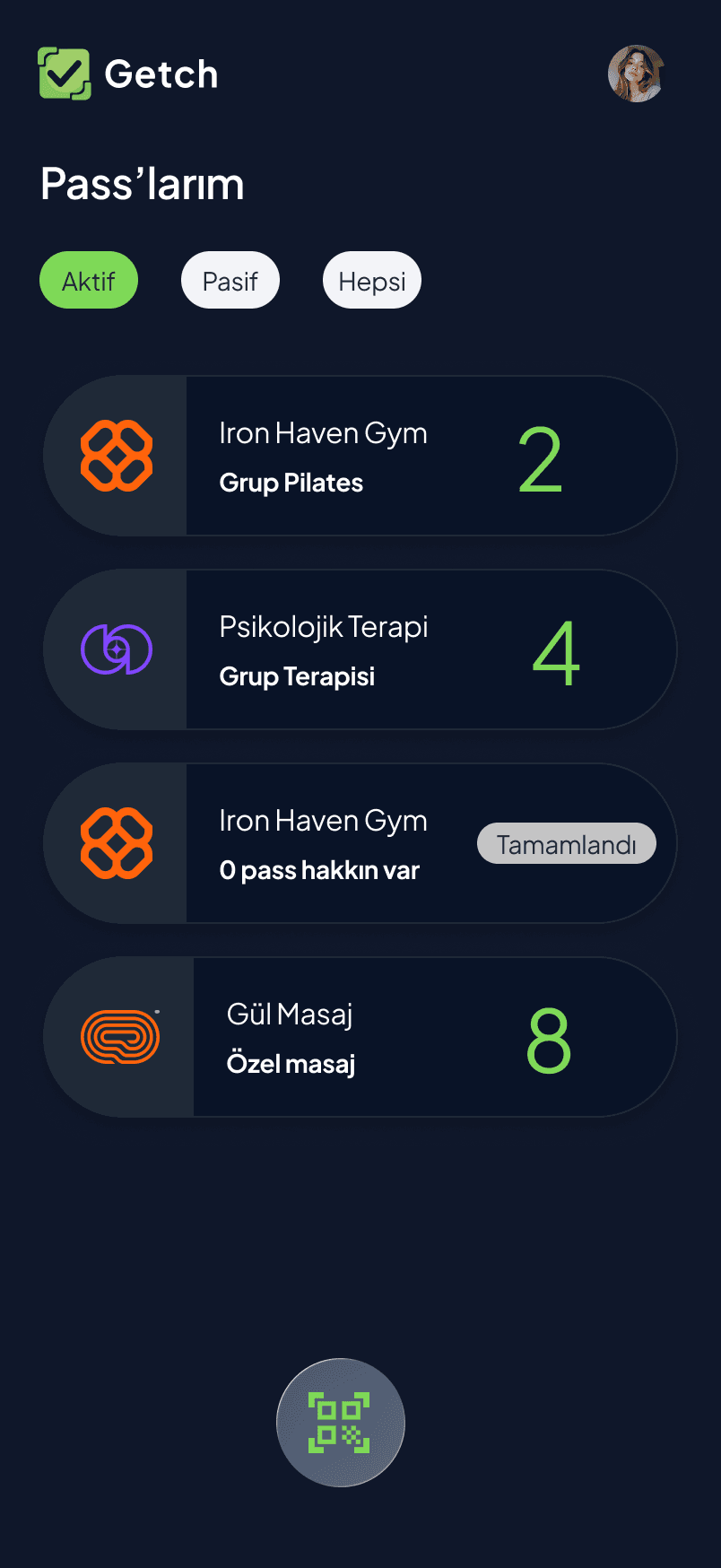
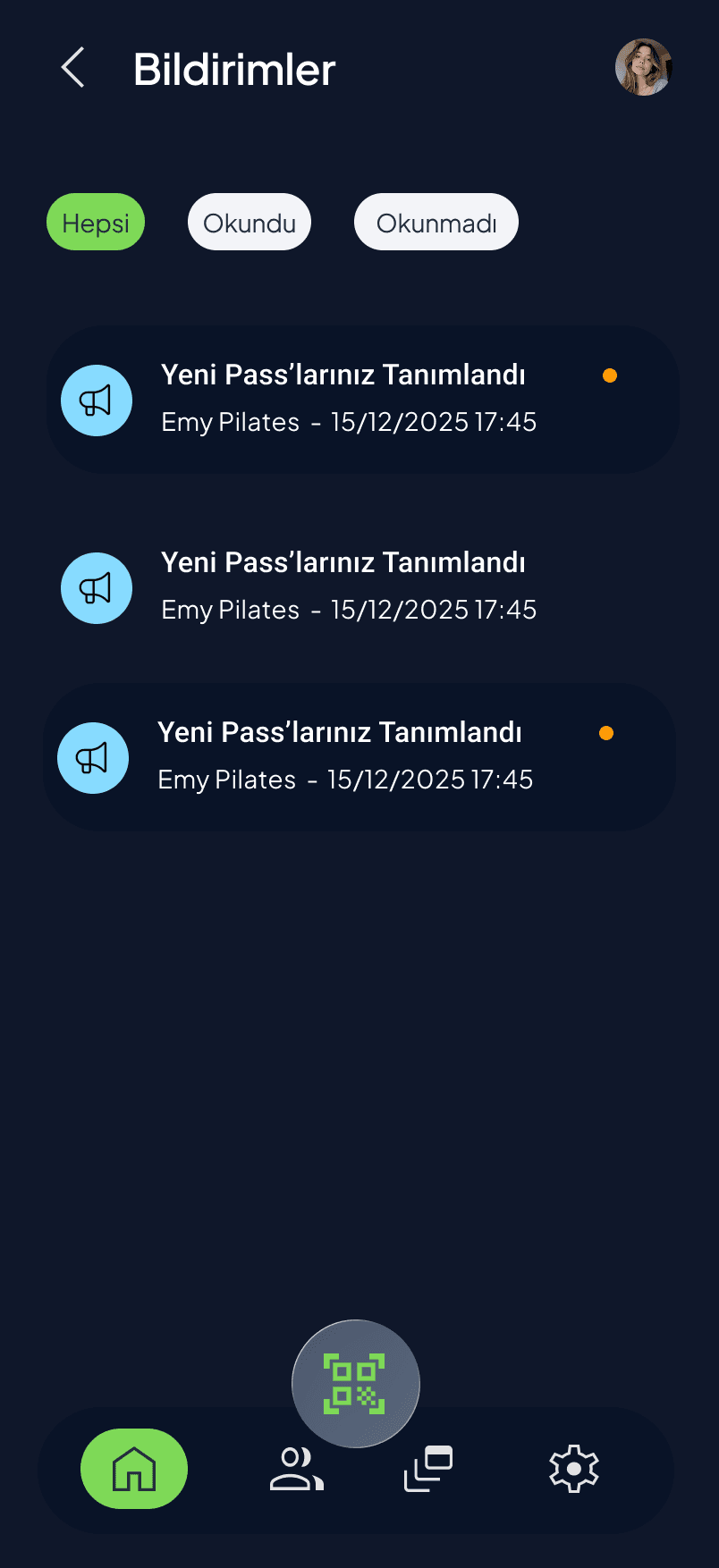
The customer's side of a redemption is just a product pick and a QR code. The business's side is a scanner, an instant confirmation, and a notification trail — new passes assigned, new staff added — that both roles can check without asking anyone.
08
Products and staff
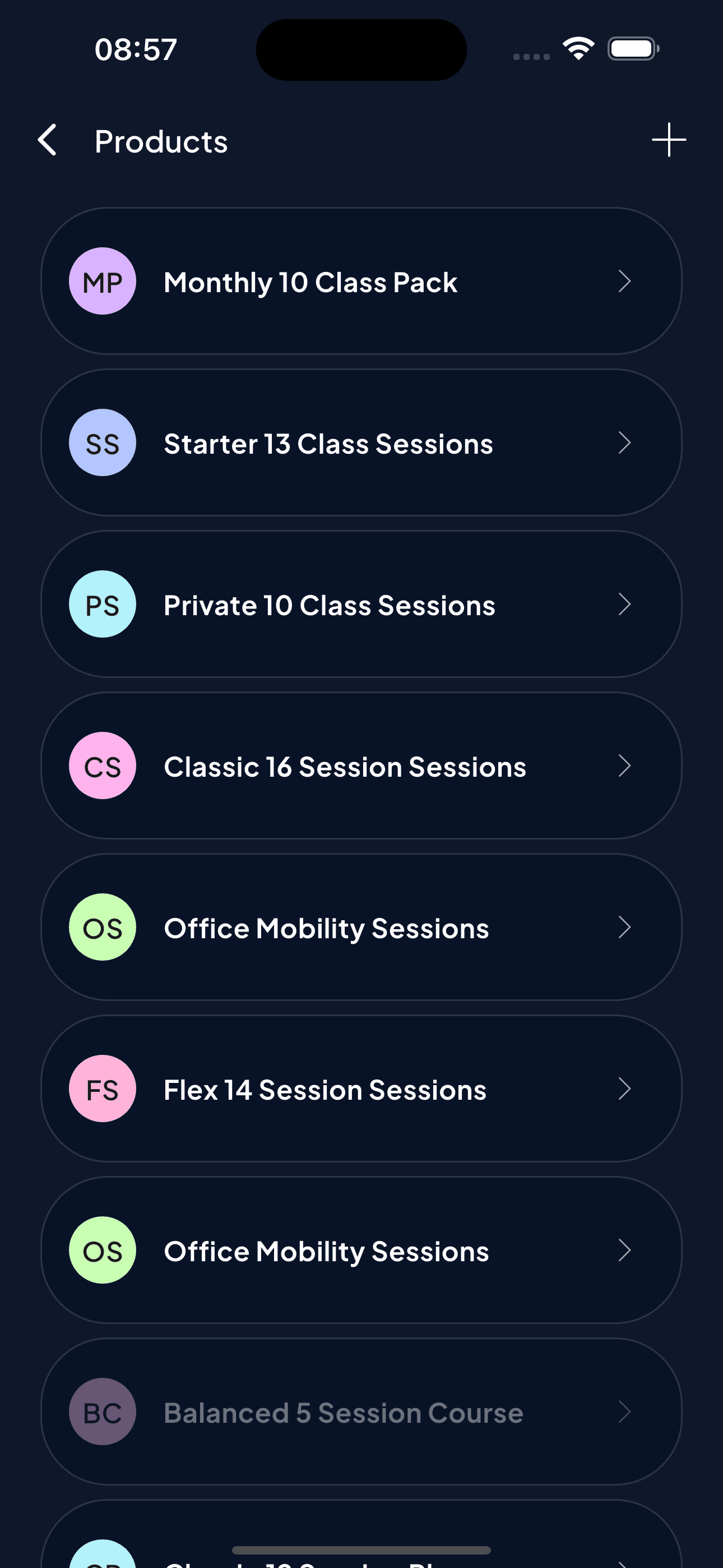
On the business side, Products are simple named packages (a 10-class pack, a single session, a themed course) with their own colour and icon so a long list stays scannable. Staff management is equally plain: invite by phone number, see who's pending versus active.
09
Every pass, across every business
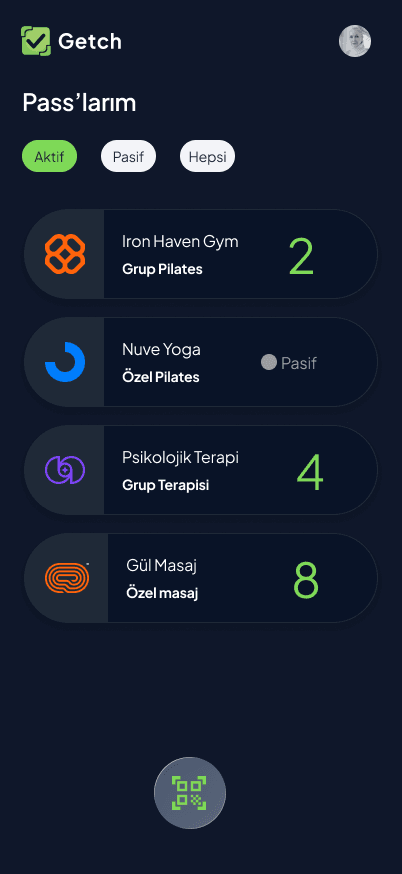
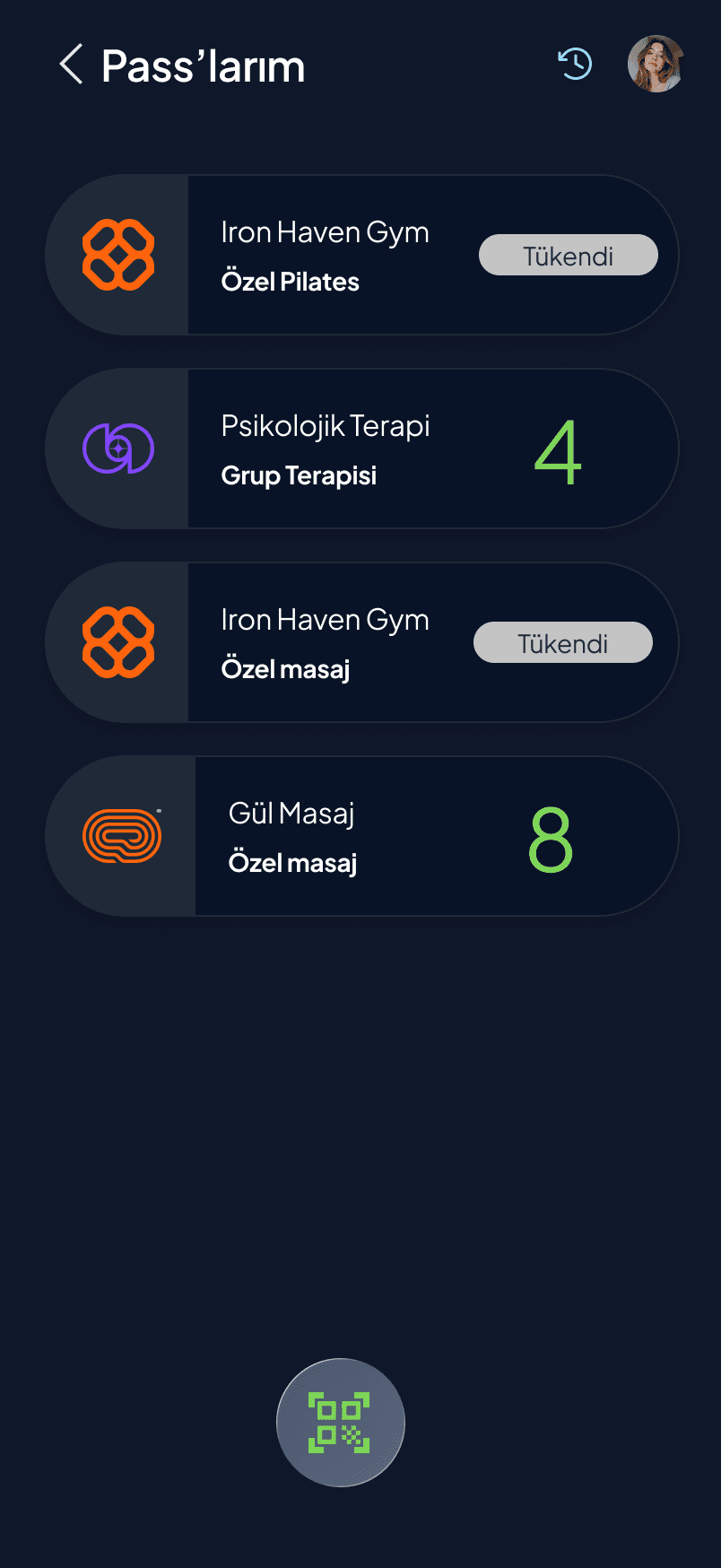
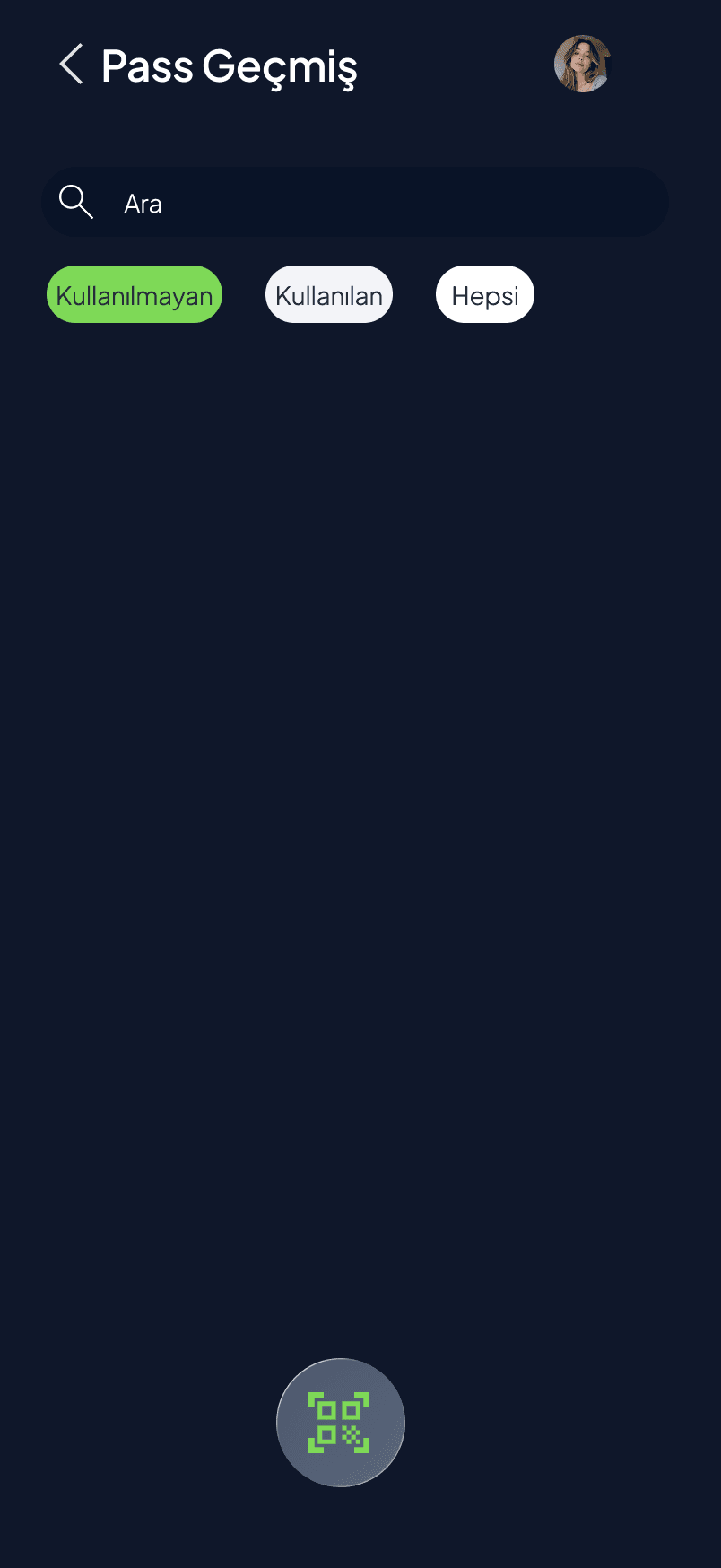
On the customer side, "My Passes" lists every pass a person holds across every business they visit — not just one studio — with a clear "used up" state once a pack is spent, and a filterable history (unused / used / all) for anyone who wants the full record.
Next
Mais PortAn enterprise platform designed to simplify daily operations for Renault MAIS sales and after-sales teams.
More about my design philosophy →